Showing posts with label Facebook. Show all posts

Wednesday, March 11, 2015

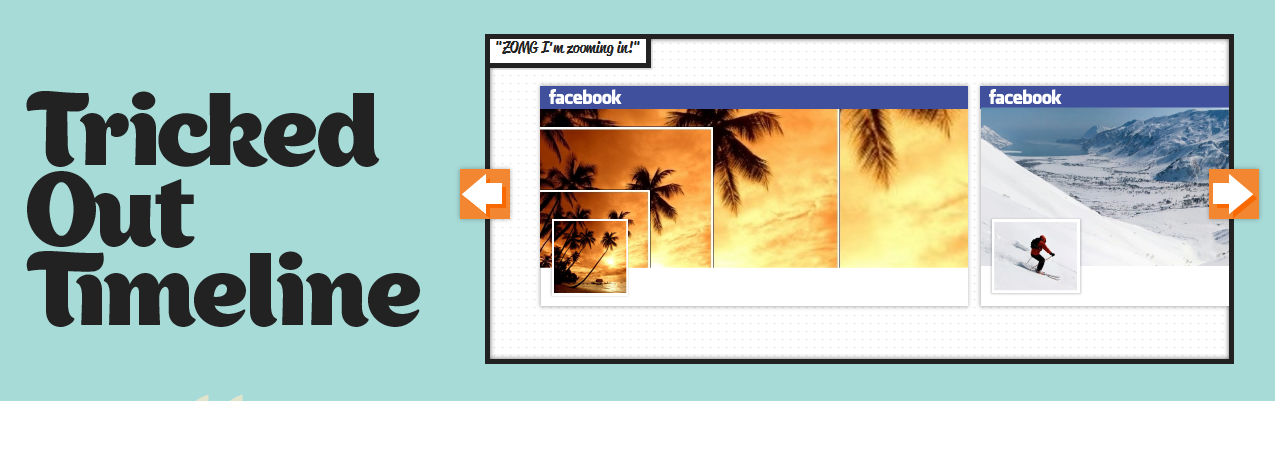
Make Creative Facebook Timeline Photos

Everyone want to create a creative timeline on facebook to impress their friends.So in this post i am going to tell you a trick by which you can create a impressive timeline to impress your friends on facebook.
Make Creative Facebook Timeline Photos
1) Go to Tricked Out Timeline.
2) Select a Template to use ( there are 4 available for now )

3) Select an Image to Upload and click Upload. You can also use your current facebook timeline cover photo.4) Move the frame to target your cover photo and hit Done5) Click LIKE button to reveal your processed Pictures.
6) Now Click Download your Cover Photo the Click Download your Profile Photo7) Then Upload your downloaded cover and profile pictures to facebook and impress your facebook friends.

ENJOY!!!!!!

Friday, February 6, 2015

Why facebook is blue in color

As we can see that facebook is Blue from Login page to its all pages,groups etc.So the question is that "Why it is blue in color".
The reason for this is that  Mark Zuckerberg, the young founder of Facebook is red-green color-blind and blue is the richest colour for him which he confirmed in an online interview with Leo Laporte.
Why facebook is blue in color
Another important commercial factor for using blue color is the fact that most colors tend to distract the viewers. Blue on the other hand acts as a transparent background to the main content as visible to the human brain due to which most popular websites tend to use the blue color. It can easily be called a webmaster's favorite color. Blue color is also sometimes referred to as 'Nirvana' for the brain.All these factors make blue a prominent color on Facebook.

Wednesday, January 7, 2015

How to use Facebook without Internet

Today I am going to make you aware about accessing Facebook without Internet.
Yes, you read it right, you can use Facebook without internet connection.You can also use Facebook on cheaper mobile phones with no internet connectivity.

 It’s a USSD based service by which we can access Facebook using message, but one thing to notice it’s a premium service and charge you to access Facebook through USSD and is only available in some specific countries.

To use Facebook through dial *325# on your mobile phone.


Complete List of Facebook Shortcuts


Here I am going to provide   a List of Facebook shortcuts ,which can be usefull in fast accessing of facebook to save your time.

Alt+m        Or        Shift+Alt+m           New Message

Alt+0         Or        Shift+Alt+0            Help Center

Alt+1         Or        Shift+Alt+1            Home Page

Alt+2         Or        Shift+Alt+2            Profile Page

Alt+3         Or        Shift+Alt+3            Manage Friend List

Alt+4         Or        Shift+Alt+4            Message List

Alt+5         Or        Shift+Alt+5            Notification Page

Alt+6         Or        Shift+Alt+6            Account Settings

Alt+7         Or        Shift+Alt+7            Privacy Settings

Alt+8         Or        Shift+Alt+8            Facebook Fan Page

Alt+9         Or        Shift+Alt+9            Facebook Terms

Alt+?         Or        Shift+Alt+?            Search Box
Don't Forget To Visit http://www.howtowizard.blogspot.in/

Thursday, August 14, 2014

How To Remove Last Name from Facebook


Facebook basicaly doesn't provides a way to remove last name on Facebook.  we should have to use our full name (i.e. first and last name) in order to create an account on Facebook  But there is a way by which we can remove last name from Facebook.


Simply Use the following Steps to see explained tutorial.

Click Here To See Full Step by StepTutorial. 
Don't Forget To Visit http://www.howtowizard.blogspot.in/

Blog Archive